Online access to the meter
Check the status of your meter and reconnect the ICP (power control switch).

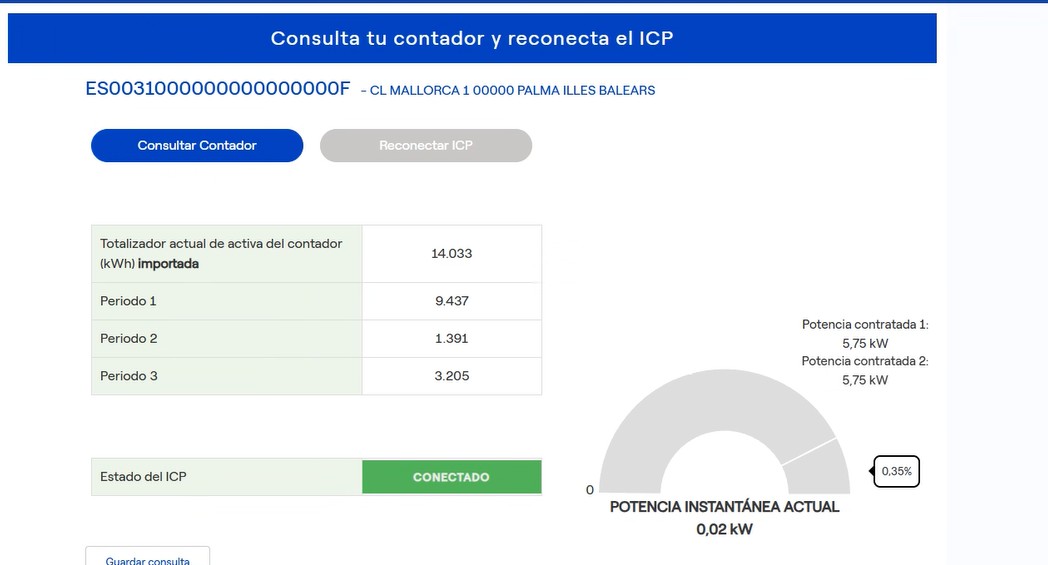
This service allows you to check the status of the Power Control Switch (PCS) and reconnect it if it has been disconnected due to excessive electricity consumption, as well as view your energy consumption at the time you check the information.
You can also see:
- The power you are currently using, expressed in kilowatts (kW).
- Total energy consumed, measured in kilowatt hours (kWh).
If the status of the ICP appears as ‘Disconnected’, you can use the ‘Reconnect ICP’ button to reset it.
Please note that in some cases, the meter is not remotely managed and is still a mechanical switch within your installation. If this is the case, you will not be able to use the service.
This service also allows you to schedule meter readings, either on an ad hoc or regular basis, with a maximum of 7 days. The results displayed can be saved using the button in the service itself.
To access the meter reading service, you must be registered in the private area. If you are not registered, you can do so via this link.
-
User Guide
Online Meter Access